CommunityPower is no longer maintained
v3.03 is the final release — the EA and this documentation will not be updated any more. The EA has no expiration date, so it keeps working. This site and the forum stay online, and the Telegram channel and its discussion group stay open — you can always reach me there. Thank you for all these years!Quick start guide
Download
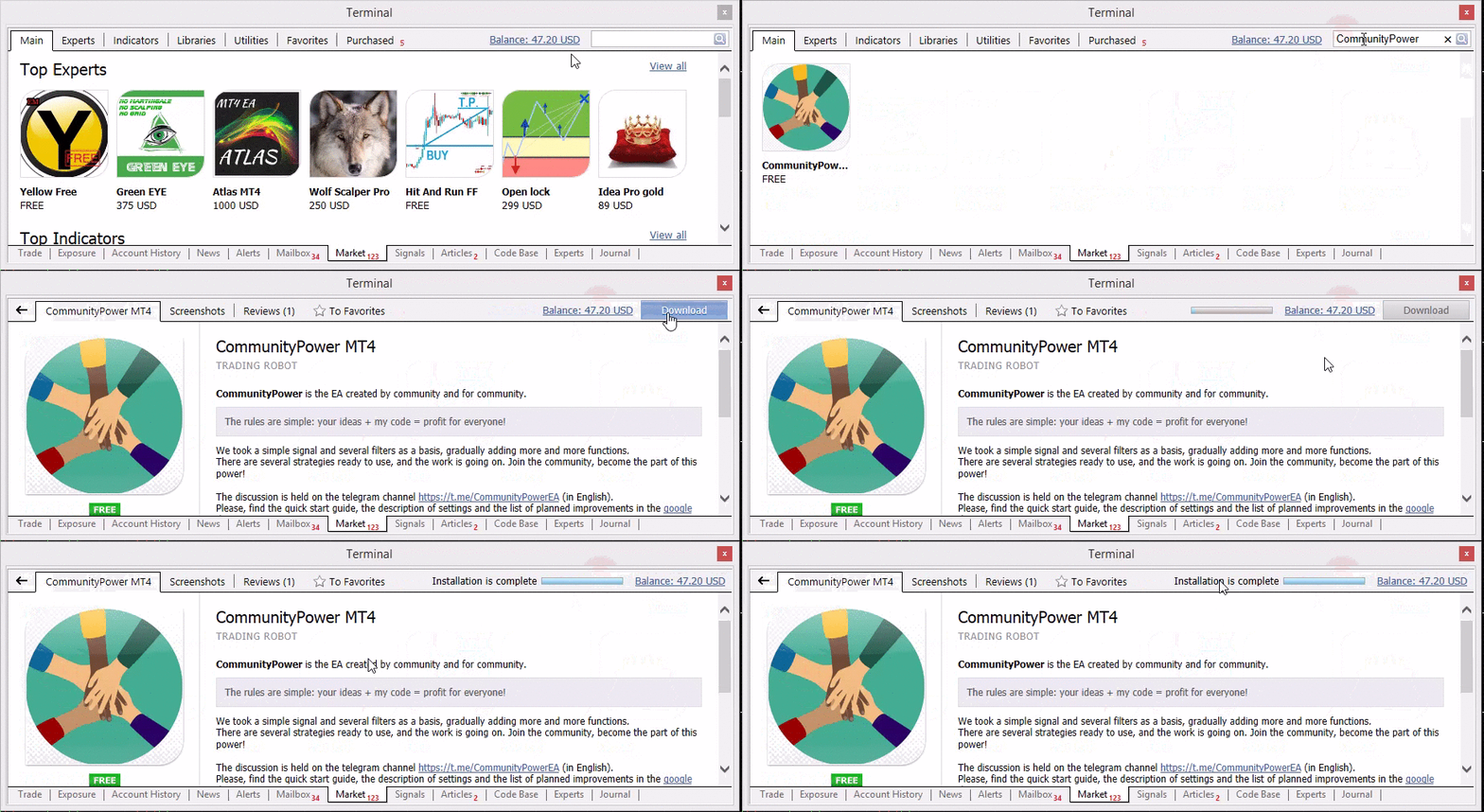
To install CommunityPower EA, find it on the Market tab of your MetaTrader terminal and press Download button:
Launch
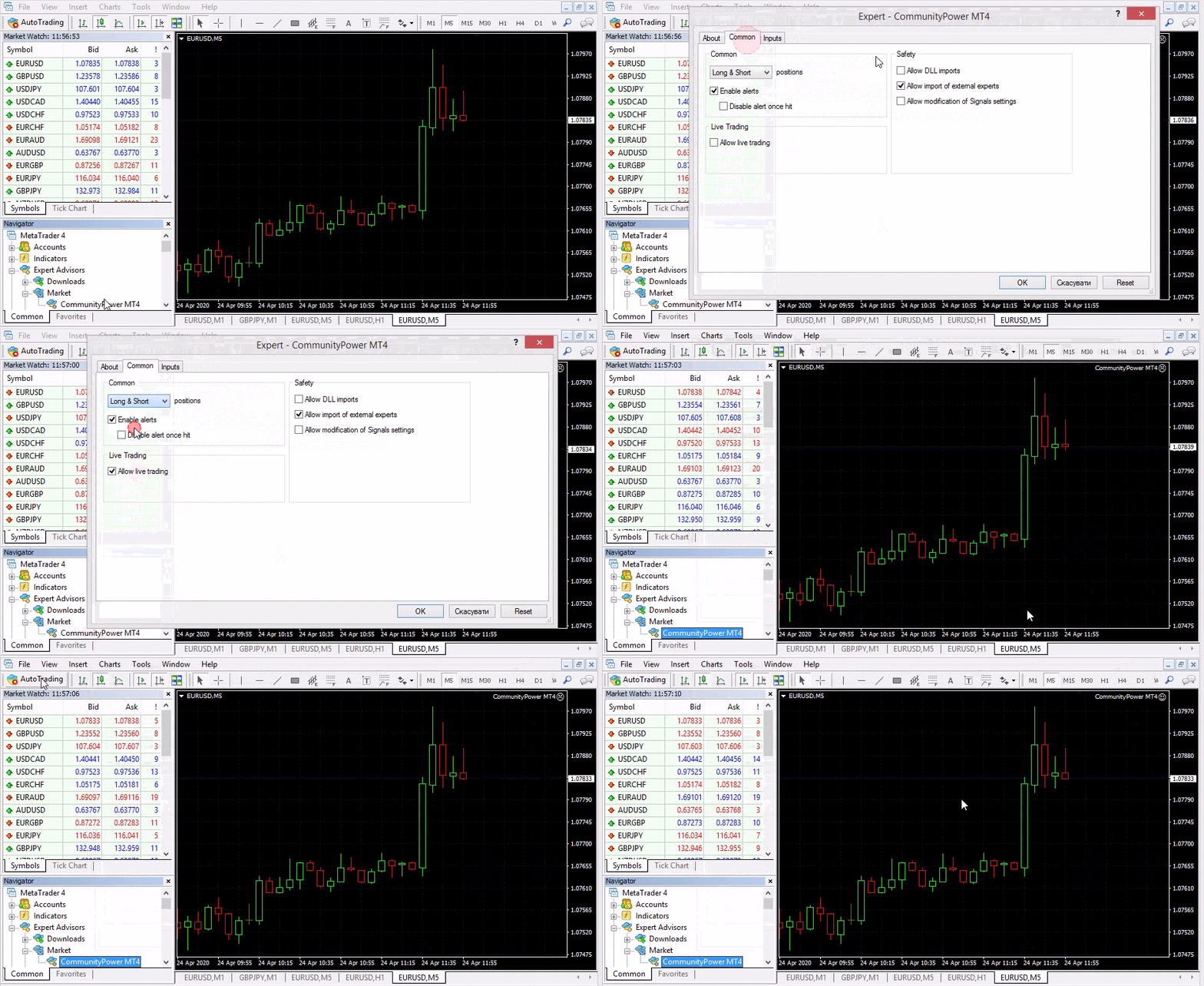
To launch the EA with default settings, open EURUSD M5 chart and attach the EA to the chart:
Set the parameters
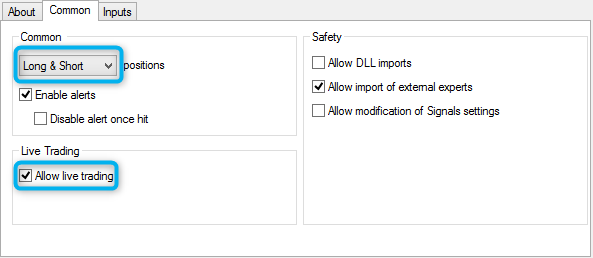
Be sure you’ve selected “Long & Short” mode and set the “Allow live trading” checkbox on the Common tab:
Check the AutoTrading button
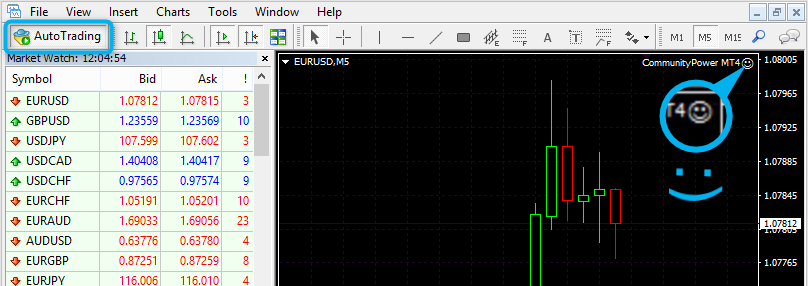
EA should smile after the launch. If it is NOT, check AutoTrading button, it must be pressed: